Use Conditions, Loops, and Nested Workflows
Use flow-control steps when different inputs need different paths or when a list needs the same processing for each item.
Turn Rules into Paths
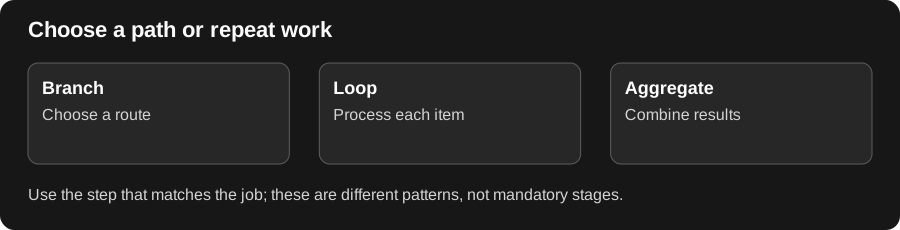
Section titled “Turn Rules into Paths”A branch handles a choice: if the invoice total exceeds a threshold, send it to review; otherwise continue on the ordinary path. A loop handles repetition: apply the same check to each invoice in a list. Aggregate brings item results together when you need a combined output.
A nested workflow is useful when several larger workflows share the same small process. Give that subflow a clear input and result contract. Test the ordinary case, the alternate branch, and an empty list so you know what downstream steps receive in each situation.
Choose the right step
Section titled “Choose the right step”| Step | Use it for |
|---|---|
| Branch | Route work according to a configured condition |
| Loop | Apply a body of steps to items in a collection |
| Aggregate | Collect results for later processing |
| Set State | Store an explicitly configured value for later steps |
| Workflow | Invoke another workflow with its required inputs |
Configure a branch or loop
Section titled “Configure a branch or loop”- Begin with a working manual workflow.
- Add Branch and configure the condition and outgoing paths, or add Loop and choose the collection and body steps.
- Bind the current item to the body’s inputs rather than the entire collection.
- Collect the results needed by a downstream step.
- Test empty, single-item, and multiple-item inputs before external writes.
For invoice routing, a branch can separate amounts above $10,000 from ordinary review. Ensure the input amount is numeric and that every intended path reaches an output or an explicit next action.
Invoke another workflow
Section titled “Invoke another workflow”Choose the target workflow in a Workflow step, map its required inputs, and inspect its returned output. Confirm access to the child workflow and its resources. Avoid recursive calls that re-enter the same workflow indefinitely.
If values disappear, inspect which branch executed and the loop’s scope. Do not assume an output from a skipped path exists. Review child-run failures as well as the parent run’s status.
Related: inputs and variables and step reference.