HubSpot
Use HubSpot to read or update contacts, inspect sequences and sending profiles, prepare reviewed outreach, and enroll an approved contact when that action is intended.
Before you start
Section titled “Before you start”Open Customize → Plugins and select this plugin. Add installs an available package; Uninstall means it is already installed. An offered Update refreshes its package version. Your deployment and administrator policy determine availability.
When Add Account is offered, follow its connection instructions using an authorized account that owns or can access the intended resource. If several accounts are connected, check the selected account and Default before the task. Reconnect refreshes an expired connection; an administrator setup notice needs administrator configuration.
Enable the plugin for the selected agent or task. On an installed plugin’s Tools table, check Enabled and the Approval setting for the operations you intend to use. New tasks use these settings; a pending approval still needs a decision. See agent setup and action approvals.
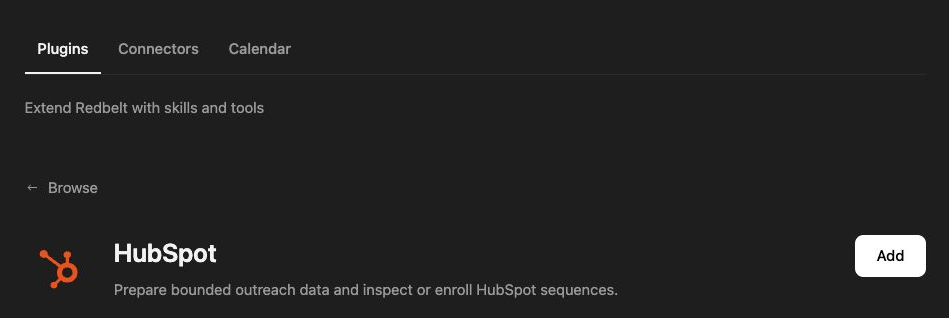
Plugin details under Customize → Plugins. The button shows the current installation state.
Prepare outreach without sending it
Section titled “Prepare outreach without sending it”- Look up the selected contact by email or read a bounded batch of contact identities.
- Inspect the required property definitions and current values before proposing an update.
- List sequences and sender profiles, then read the intended sequence.
- Prepare a follow-up draft based on the product and campaign details you provide with a specific recipient, campaign, revision, and ordered steps.
- Review the prepared content and destination. Preparation is not enrollment or delivery.
Read the contact and follow-up sequence I select. Use the product details I provide to prepare an outreach draft asking whether a short walkthrough would be useful. Show me the recipient, sender profile, sequence, and draft. Do not enroll or send anything.
Know which action writes
Section titled “Know which action writes”Contact batch creation, updates, and outreach upserts write CRM data. Use an existing identity where appropriate and inspect the saved properties. Property preparation can create the namespaced definitions needed by approved outreach, while content preparation returns a proposal without releasing messages.
Staging an approved Site draft requires its exact approval batch, contact identity, and draft revision. Staging does not enroll the contact or send the draft. A stale or mismatched approval should be resolved by reviewing the current draft, not bypassed.
Sequence enrollment is a separate action that can trigger outreach. Confirm the contact, sequence, sender, and content first, then check enrollment status afterward. Some sending features depend on your HubSpot account capabilities.
Tool Reference
Section titled “Tool Reference”Thread and workflow availability are listed separately. A tool must also be enabled for your task and allowed by its account and administrator policy. Configure workflow app actions using only actions offered by the current picker.
Available Tools
Section titled “Available Tools”| Tool | Required Fields | Thread | Workflow |
|---|---|---|---|
hubspot.batch_create_contacts |
contacts |
Yes | Yes |
hubspot.batch_read_contacts |
identities, id_property, property_names |
Yes | Yes |
hubspot.batch_update_contacts |
contacts |
Yes | Yes |
hubspot.enroll_contact_in_sequence |
sequence_id |
Yes | No |
hubspot.get_contact_by_email |
email |
Yes | No |
hubspot.get_contact_property_definitions |
property_names |
Yes | Yes |
hubspot.get_sequence |
sequence_id |
Yes | Yes |
hubspot.get_sequence_enrollment_status |
No mandatory top-level fields | Yes | No |
hubspot.list_sender_profiles |
No mandatory top-level fields | Yes | No |
hubspot.list_sequences |
No mandatory top-level fields | Yes | No |
hubspot.prepare_outreach_content |
destination, contact_id, recipient_email, campaign_id, revision_id, steps |
Yes | Yes |
hubspot.prepare_outreach_properties |
No mandatory top-level fields | Yes | No |
hubspot.stage_approved_site_draft |
site_id, approval_batch_id, contact_identity, draft_revision |
Yes | Yes |
hubspot.upsert_outreach_contact |
email |
Yes | No |
Required fields above are the schema minimum. The target, selected operation, or account can impose additional requirements.
hubspot.batch_create_contacts — Create one bounded batch of HubSpot contacts without updating existing contacts.
hubspot.batch_read_contacts — Read a batch of HubSpot contacts by record ID or email, with the properties you choose.
hubspot.batch_update_contacts — Partially update one bounded batch of HubSpot contacts by record ID.
hubspot.enroll_contact_in_sequence — Enroll an existing HubSpot contact in a sequence using the configured default sender unless an explicit active sender is supplied.
Optional fields: contact_email, contact_id, sender_alias_address, sender_email, sender_user_id.
hubspot.get_contact_by_email — Get a HubSpot contact by primary email address.
Optional fields: property_names.
hubspot.get_contact_property_definitions — Read bounded HubSpot contact-property definitions without reading contact values.
hubspot.get_sequence — Inspect a HubSpot sequence, including ordered steps, template identities, and documented settings for the selected sender.
Optional fields: sender_user_id.
hubspot.get_sequence_enrollment_status — Get the current HubSpot sequence enrollment status for a contact ID or email address.
Optional fields: contact_email, contact_id.
hubspot.list_sender_profiles — List active HubSpot owners that can be selected as candidate sequence senders.
hubspot.list_sequences — List HubSpot sequences available to a sender, using the configured default sender when omitted.
Optional fields: after, limit, sender_user_id.
hubspot.prepare_outreach_content — Prepare approved outreach text for HubSpot without reading or writing HubSpot.
hubspot.prepare_outreach_properties — Create the HubSpot contact properties that Redbelt outreach uses, and report conflicts.
Optional fields: definitions.
hubspot.stage_approved_site_draft — Put one approved Site draft on a HubSpot contact for outreach, without sending anything.
hubspot.upsert_outreach_contact — Create or partially update a HubSpot outreach contact using email as the stable identity.
Optional fields: company, custom_properties, first_name, job_title, last_name, phone.
Troubleshoot
Section titled “Troubleshoot”If an enrollment or property update fails, inspect the returned validation and current contact state. Do not equate a prepared or staged draft with a successful enrollment.
Provider details: HubSpot documentation.