Manage Billing and Subscriptions
Billing belongs to the selected workspace. Review the organization and plan before starting a subscription change or checkout.
Understand What You Are Changing
Section titled “Understand What You Are Changing”The plan determines the subscription’s offered capacity and entitlements. Usage records consumption. Spending limits constrain permitted usage. Check all three when a user reports that a paid action is blocked; changing the plan may not resolve a provider or member-limit issue.
Confirm the selected workspace and review the current terms before completing any billing change. The interface’s current charges, effective date, and subscription state are the facts to use. Returning from a checkout page is not sufficient proof of activation.
Review the current plan
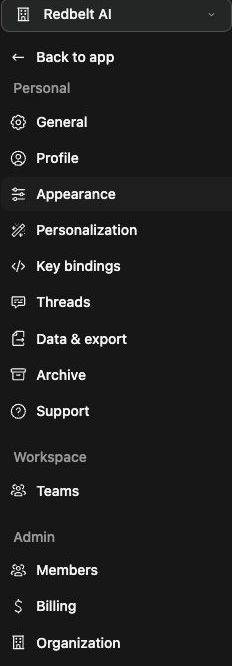
Section titled “Review the current plan”- Open Settings → Billing.
- Confirm the workspace name and billing summary.
- Inspect the current plan, membership capacity, and available usage information.
- Use the offered plan-management or billing-portal control for further details.
Hosted and customer-hosted deployments can expose different controls. Use the amounts and terms shown by the current billing interface; prices in older screenshots or articles are not a quote for your workspace.
Change a subscription
Section titled “Change a subscription”Open the offered plan-management flow, review the new plan and capacity, and inspect the effective date and charges before confirming. Verify the resulting subscription state when you return to Redbelt. Starting checkout alone does not prove that payment or subscription activation completed.
Workspace setup can require billing before paid actions become available. If the app asks you to finish setup, review that workspace’s setup state rather than creating duplicate workspaces.
Troubleshoot access
Section titled “Troubleshoot access”If billing controls are unavailable, ask the workspace’s authorized billing administrator. If payment completes but actions remain blocked, compare the billing summary with workspace setup, plan entitlement, and usage limits. Do not enter payment details into threads or screenshot fixtures.
Related: workspace setup and usage.