Create an Account and Sign In
Sign in to the Redbelt deployment used by your organization. Your account identifies you; the selected workspace determines which shared resources and settings you can access.
Understand Your Account
Section titled “Understand Your Account”Your account is your identity; workspace membership is your access to a team’s work. Signing in successfully can still leave you outside the intended workspace. If a colleague shared a link that you cannot open, check the account and workspace first, then the resource’s sharing.
Use your organization’s invitation address consistently. A personal account and a work account can be separate identities even when both belong to you. Completing signup does not automatically copy your organization’s files into a new individual workspace.
Before you start
Section titled “Before you start”Have your organization’s Redbelt address and the email address used for your invitation. Account creation and subscription options depend on the deployment.
Sign in
Section titled “Sign in”- Open your Redbelt address and choose Sign in.
- Complete the sign-in flow offered by that deployment.
- If you received a workspace invitation, open its link using the intended account.
- Confirm the selected workspace before opening shared content or sending a request.
For a new account, the signup page offers the available individual or team plans. Some deployments display Account access is managed by your deployment instead; ask your administrator for access there. A new account alone does not establish a subscription or permission to run paid work.
Check your access
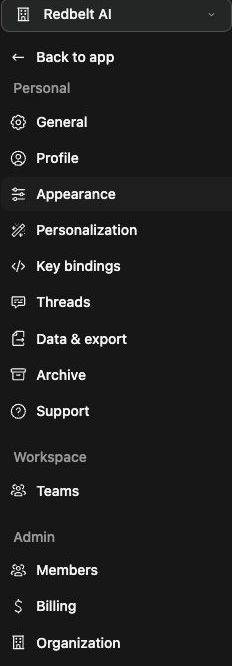
Section titled “Check your access”You should reach the main app and see your available workspaces. Open Settings → Profile to check the account identity. If an invitation is incomplete, ask for a new invitation rather than editing its link.
If sign-in fails, retry from the deployment’s sign-in page. If the account works but a workspace is missing, ask an administrator to confirm your invitation and membership.
Related: choose a workspace and find your way around Redbelt.