Sites
Use Sites to find Redbelt sites, inspect or download their source, save a new version, and use the site’s authorized data operations.
Before you start
Section titled “Before you start”Open Customize → Plugins and select this plugin. Choose Add if it is available and not installed; Uninstall means it is already installed. Availability depends on the deployment and administrator policy. Enable the plugin for the selected agent or task using agent setup.
This package does not require a separate external app account for its own Redbelt tools. Its work can still depend on configured services, sandbox availability, selected files, or a separate authorized connection. Adding the package does not grant access to additional data. Review the installed tool controls and handle any requested action approval.
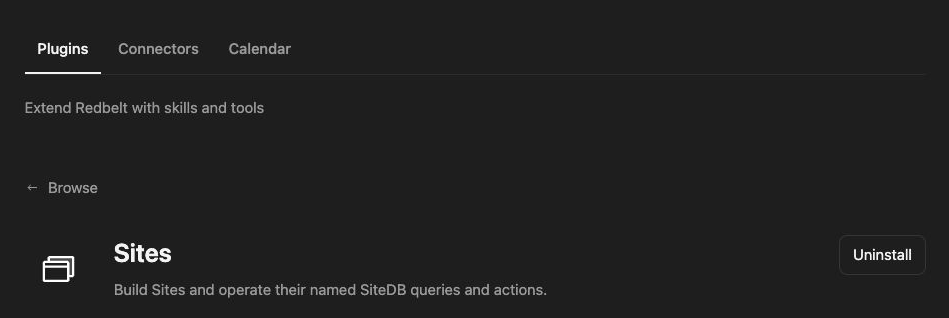
Plugin details under Customize → Plugins. The button shows the current installation state.
Revise a launch dashboard
Section titled “Revise a launch dashboard”- Search for the dashboard you want to edit and select the returned site ID.
- Inspect the current version and download its source into the sandbox before editing.
- Define the requested change, such as grouping milestones by owner and making overdue items easier to identify.
- Review the updated preview and save a new version with a clear description.
- Publish only when you explicitly intend to change the live site, then verify the published result.
Find the dashboard I name and inspect its current source. Prepare a version that groups milestones by owner and shows the next due date. Preserve the existing data model, show me the preview, and save a new version after review. Do not publish it yet.
Use the site’s data contract
Section titled “Use the site’s data contract”Site search discovers authorized resources. Version operations inspect metadata, download source, create a version, and perform supported version-management actions. Reading metadata alone does not provide the source files needed for an edit.
The site database tool can describe the current contract, run named queries or actions, or execute supported scoped parameterized SQL. Inspect the contract before choosing an operation. Queries read data; actions can modify it. Keep row limits bounded and review writes against the selected site ID.
Saving a version and publishing it are separate steps. A preview is not proof that the live site changed. See Manage Sites for the user-facing site experience.
Tool Reference
Section titled “Tool Reference”Thread and workflow availability are listed separately. A tool must also be enabled for your task and allowed by its account and administrator policy. Configure workflow app actions using only actions offered by the current picker.
Available Tools
Section titled “Available Tools”| Tool | Required Fields | Thread | Workflow |
|---|---|---|---|
sites.db |
site_id, operation |
Yes | No |
sites.search |
No mandatory top-level fields | Yes | No |
sites.version |
action |
Yes | No |
Required fields above are the schema minimum. The target, selected operation, or account can impose additional requirements.
sites.db — Describe or execute an authorized Redbelt Site database operation.
Optional fields: max_rows, name, params, rows, sql.
sites.search — Find the person’s Redbelt sites by name.
Optional fields: limit, query, status.
sites.version — Manage site versions.
Optional fields: artifact_ref, base_version_id, description, expected_current_version_id, metadata, name, site_id, version_id.
Troubleshoot
Section titled “Troubleshoot”If a save conflicts with a newer version, inspect the current version and reconcile the edit. For a database rejection, check the site contract, operation, parameters, and permissions instead of bypassing its scope.