Work with Coding Projects
A coding project connects an authorized repository with the environment used by a coding task. Repository access, model access, and sandbox availability are separate requirements.
Give the Task a Boundary
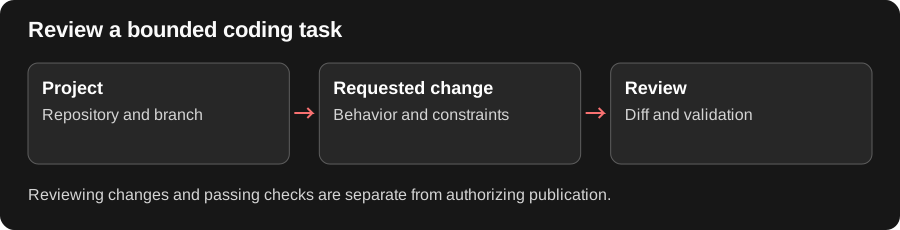
Section titled “Give the Task a Boundary”A useful coding request identifies the repository, requested behavior, constraints, and a way to check the result. For a due-date filter, describe how it should work alongside the existing owner filter and ask for the relevant validation.
The agent’s changed files and test results are the material to review. A successful test does not itself publish code, and an open computer view does not prove that a pull request exists. Confirm the target branch and review the proposed change before authorizing a push, merge, or deployment.
Set up repository access
Section titled “Set up repository access”- Open the GitHub connection or project settings offered by your deployment.
- Connect the intended GitHub account or installation.
- Choose the repositories the integration is permitted to access.
- If a repository is absent, use Choose more on GitHub and save the selection there before continuing in Redbelt.
- Select the project and its offered computer/environment settings.
Start a bounded coding task
Section titled “Start a bounded coding task”Choose the project or repository context for a new task and state a concrete change. For example: “Add a due-date filter to the launch dashboard. Preserve the existing owner filter and run the relevant tests.” Inspect the selected repository and branch or checkout before work begins.
Review the result
Section titled “Review the result”Follow the coding activity, changed files, and test results. Open the computer view when available to inspect the task’s environment. A paused workspace or missing computer is a runtime state, not proof that the repository was deleted. Review changes before any push, pull request, merge, or deployment.
If access needs attention, inspect the GitHub installation’s repository choices. If startup fails, check sandbox capacity and environment health with an administrator. Removing a project connection does not necessarily remove the GitHub repository or existing task history.
Related: threads and action approvals.