Tableau
Use Tableau to discover accessible content, inspect data-source metadata, query a selected source, and retrieve a view’s data or image in Redbelt.
Before you start
Section titled “Before you start”Open Customize → Plugins and select this plugin. Add installs an available package; Uninstall means it is already installed. An offered Update refreshes its package version. Your deployment and administrator policy determine availability.
When Add Account is offered, follow its connection instructions using an authorized account that owns or can access the intended resource. If several accounts are connected, check the selected account and Default before the task. Reconnect refreshes an expired connection; an administrator setup notice needs administrator configuration.
Enable the plugin for the selected agent or task. On an installed plugin’s Tools table, check Enabled and the Approval setting for the operations you intend to use. New tasks use these settings; a pending approval still needs a decision. See agent setup and action approvals.
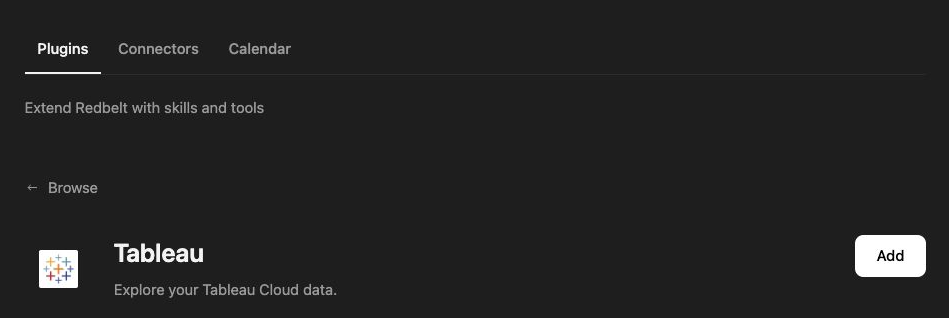
Plugin details under Customize → Plugins. The button shows the current installation state.
Investigate launch performance
Section titled “Investigate launch performance”- Ask Redbelt to search Tableau content for a workbook or project name you provide.
- Select the intended workbook, view, or published data source from the returned identifiers.
- Inspect the data-source fields before building a query. Specify the measure, grouping, filters, and maximum rows.
- Read the relevant view data or request its image when a visual summary is useful.
- Ask Redbelt to explain the results, including the source, time range, and any limitations.
Search Tableau for the performance workbook I name. Identify its published data source and available date, channel, and conversion fields. Propose a query for weekly conversions by channel before running it. Cite the view or data source in the summary.
Understand what was retrieved
Section titled “Understand what was retrieved”Search ranks relevant content; it is not a complete inventory. Workbook, view, and data-source lists are paginated. Continue through pages when an exhaustive inventory is required.
Data-source metadata can require additional Tableau capabilities. Structured data-source queries use supported fields and aggregations; inspect metadata rather than guessing field names. View data can represent a particular worksheet rather than every chart in a dashboard. Do not describe it as a complete dashboard export without checking the source.
A view image is a retrieved visual artifact, not a newly generated dashboard. The plugin does not expose workbook creation or publishing tools. Content visibility and supported operations depend on Tableau permissions.
Tool Reference
Section titled “Tool Reference”Thread and workflow availability are listed separately. A tool must also be enabled for your task and allowed by its account and administrator policy. Configure workflow app actions using only actions offered by the current picker.
Available Tools
Section titled “Available Tools”| Tool | Required Fields | Thread | Workflow |
|---|---|---|---|
tableau.get_datasource_metadata |
datasourceLuid |
Yes | Yes |
tableau.get_view_data |
viewId |
Yes | Yes |
tableau.get_view_image |
viewId |
Yes | Yes |
tableau.list_datasources |
No mandatory top-level fields | Yes | Yes |
tableau.list_views |
No mandatory top-level fields | Yes | Yes |
tableau.list_workbooks |
No mandatory top-level fields | Yes | Yes |
tableau.query_datasource |
datasourceLuid, query |
Yes | Yes |
tableau.search_content |
No mandatory top-level fields | Yes | Yes |
Required fields above are the schema minimum. The target, selected operation, or account can impose additional requirements.
tableau.get_datasource_metadata — Inspect published data-source fields, relationships, and parameters before querying.
tableau.get_view_data — Retrieve data from a Tableau view with optional filters.
Optional fields: viewFilters.
tableau.get_view_image — Retrieve a PNG image of a Tableau view for display or analysis.
Optional fields: height, viewFilters, width.
tableau.list_datasources — List accessible Tableau datasources.
Optional fields: filter, limit, pageNumber.
tableau.list_views — List accessible Tableau views.
Optional fields: filter, limit, pageNumber.
tableau.list_workbooks — List accessible Tableau workbooks.
Optional fields: filter, limit, pageNumber.
tableau.query_datasource — Query a published Tableau data source using VizQL Data Service.
Optional fields: limit.
tableau.search_content — Search Tableau content by keyword, relevance, or popularity.
Optional fields: filter, limit, orderBy, terms.
Troubleshoot
Section titled “Troubleshoot”For missing content or rejected queries, confirm the selected Tableau site, account permissions, and query fields. Reconnect to the intended site if the existing connection points elsewhere.
Provider details: Tableau Cloud documentation.