Gmail
Use Gmail to search mail, read messages or threads in batches, prepare drafts, send a reviewed message, and adjust labels on selected messages.
Before you start
Section titled “Before you start”Open Customize → Plugins and select this plugin. Add installs an available package; Uninstall means it is already installed. An offered Update refreshes its package version. Your deployment and administrator policy determine availability.
When Add Account is offered, follow its connection instructions using an authorized account that owns or can access the intended resource. If several accounts are connected, check the selected account and Default before the task. Reconnect refreshes an expired connection; an administrator setup notice needs administrator configuration.
Enable the plugin for the selected agent or task. On an installed plugin’s Tools table, check Enabled and the Approval setting for the operations you intend to use. New tasks use these settings; a pending approval still needs a decision. See agent setup and action approvals.
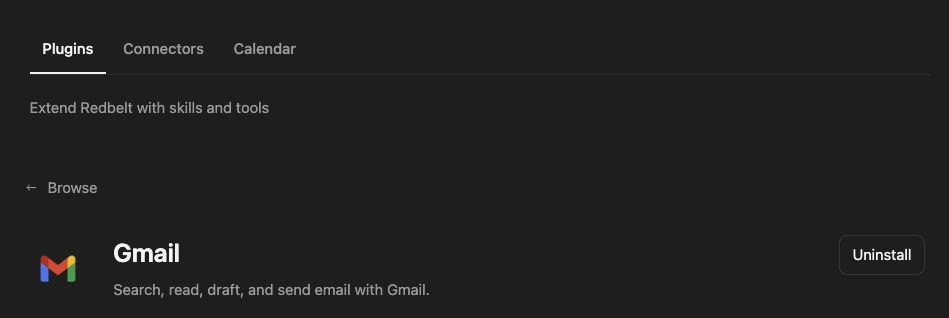
Plugin details under Customize → Plugins. The button shows the current installation state.
Draft a launch update
Section titled “Draft a launch update”- Confirm that the connected Google account has a Gmail mailbox. A Google login using another email address does not by itself supply Gmail.
- Ask Redbelt to search for a project discussion using a topic you provide.
- Read the selected messages or threads using their returned IDs.
- Draft a milestone update using the dates agreed in that discussion and a clear request for missing owners.
- Inspect the draft and recipient list. Ask for a send only when the content and recipients are correct.
- Check the returned send result and search or read the resulting thread to confirm the saved message.
Search my connected Gmail mailbox for the project topic I provide. Read the relevant discussion and prepare a reply summarizing agreed milestones and asking recipients to confirm missing owners. Use only dates stated in the messages. Save it as a draft; do not send it yet.
Choose the right operation
Section titled “Choose the right operation”Search can use Gmail query syntax. Batch reads retrieve selected message IDs or whole thread IDs. A thread read includes thread context; a single message does not necessarily contain the complete discussion.
Drafting and sending are separate operations. Draft creation does not deliver mail. Label changes apply to explicit message IDs with the requested labels to add or remove. Confirm the selection before a batch change.
Several older single-message, single-thread, and label-list entries are disabled. Use the enabled batch reads instead. Do not treat disabled entries as working tools or assume labels are discoverable through a disabled list action.
Tool Reference
Section titled “Tool Reference”Thread and workflow availability are listed separately. A tool must also be enabled for your task and allowed by its account and administrator policy. Configure workflow app actions using only actions offered by the current picker.
Available Tools
Section titled “Available Tools”| Tool | Required Fields | Thread | Workflow |
|---|---|---|---|
google_mail.batch_modify_labels |
message_ids |
Yes | No |
google_mail.draft |
subject, body |
Yes | Yes |
google_mail.get_messages_batch |
message_ids |
Yes | No |
google_mail.get_threads_batch |
thread_ids |
Yes | No |
google_mail.search |
query |
Yes | Yes |
google_mail.send |
to, subject, body |
Yes | Yes |
Required fields above are the schema minimum. The target, selected operation, or account can impose additional requirements.
google_mail.batch_modify_labels — Add/remove Gmail labels across multiple messages.
Optional fields: add_label_ids, remove_label_ids.
google_mail.draft — Create a draft email in Gmail.
Optional fields: attachment_paths, attachment_upload_ids, bcc, body_format, cc, to.
google_mail.get_messages_batch — Get multiple Gmail messages in one call.
Optional fields: format.
google_mail.get_threads_batch — Get multiple Gmail threads in one call.
google_mail.search — Search Gmail messages.
Optional fields: from_index, is_read, page_size, relative_date_range.
google_mail.send — Send an email via Gmail.
Optional fields: attachment_paths, attachment_upload_ids, bcc, body_format, cc.
Troubleshoot
Section titled “Troubleshoot”If Google asks you to add Gmail to an account, that account does not currently supply the mailbox needed for this plugin. Use an authorized account with Gmail already enabled. For empty results, check the account and query before widening the search.
Provider details: Gmail help.