Confluence
Use Confluence to find project context, read complete pages, and save a reviewed project brief in an existing space.
Before you start
Section titled “Before you start”Open Customize → Plugins and select this plugin. Add installs an available package; Uninstall means it is already installed. An offered Update refreshes its package version. Your deployment and administrator policy determine availability.
When Add Account is offered, follow its connection instructions using an authorized account that owns or can access the intended resource. If several accounts are connected, check the selected account and Default before the task. Reconnect refreshes an expired connection; an administrator setup notice needs administrator configuration.
Enable the plugin for the selected agent or task. On an installed plugin’s Tools table, check Enabled and the Approval setting for the operations you intend to use. New tasks use these settings; a pending approval still needs a decision. See agent setup and action approvals.
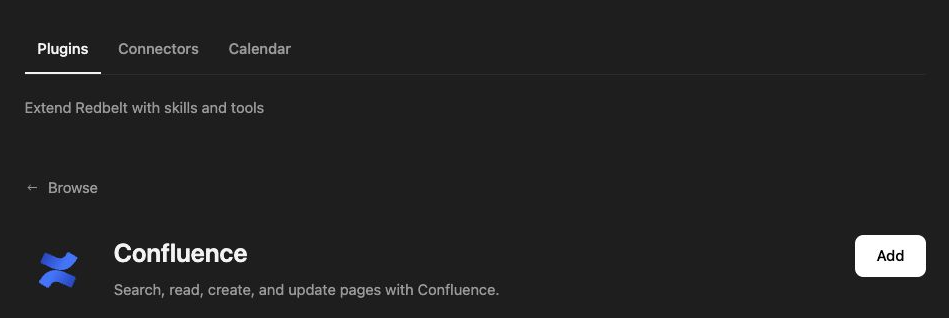
Plugin details under Customize → Plugins. The button shows the current installation state.
Write a launch brief in the right space
Section titled “Write a launch brief in the right space”- Ask Redbelt to list the Confluence spaces you can access. Select the space where your project pages belong by its returned ID.
- Search for your project’s planning pages and list pages in that space. Check for an existing brief before creating another one.
- Read the chosen source pages and ask for a brief covering the launch date, owners, milestones, and open questions.
- Review the proposed title and full body. Choose an existing parent page if the brief belongs under the launch hub.
- Ask Redbelt to create a project brief in the selected space. Open the returned page link and check the content.
List my Confluence spaces and ask me which one to use. Read the project planning pages I select and draft a concise brief with goals, milestones, owners, and unresolved decisions. Show me the text and intended parent page before creating it.
Read and revise pages
Section titled “Read and revise pages”Space listing, page listing, CQL search, and single-page reads serve different purposes. Follow returned pagination cursors when you need more than the first page of results. A constrained CQL query such as type = "page" AND title ~ "project" narrows a search. Replace the title term with a word from the pages you need.
Updating a page replaces its entire title and body. Read the current page first, preserve sections outside the requested edit, and inspect the complete replacement before saving. Storage content uses Atlassian XHTML; plain text is not a substitute for its formatting. A version conflict means the page changed: reread it and reconcile the edit.
Tool Reference
Section titled “Tool Reference”Thread and workflow availability are listed separately. A tool must also be enabled for your task and allowed by its account and administrator policy. Configure workflow app actions using only actions offered by the current picker.
Available Tools
Section titled “Available Tools”| Tool | Required Fields | Thread | Workflow |
|---|---|---|---|
atlassian_confluence.create_page |
spaceId, title, body |
Yes | Yes |
atlassian_confluence.get_page |
pageId |
Yes | Yes |
atlassian_confluence.get_pages_in_space |
spaceId |
Yes | Yes |
atlassian_confluence.get_spaces |
No mandatory top-level fields | Yes | Yes |
atlassian_confluence.search |
cql |
Yes | Yes |
atlassian_confluence.update_page |
pageId, title, body |
Yes | Yes |
Required fields above are the schema minimum. The target, selected operation, or account can impose additional requirements.
atlassian_confluence.create_page — Create a Confluence page in the given space.
Optional fields: contentFormat, parentId.
atlassian_confluence.get_page — Fetch a single Confluence page by id.
Optional fields: contentFormat.
atlassian_confluence.get_pages_in_space — List pages within a Confluence space.
Optional fields: cursor, limit.
atlassian_confluence.get_spaces — List Confluence spaces the user can see in the connected Atlassian cloud.
Optional fields: limit.
atlassian_confluence.search — Search Confluence content with a CQL query.
Optional fields: limit, nextPageToken.
atlassian_confluence.update_page — Update an existing Confluence page.
Optional fields: contentFormat, versionNumber.
Troubleshoot
Section titled “Troubleshoot”If the space or page is missing, check the connected Atlassian account and its access to that specific resource. If a created page already exists after an interrupted run, use its page ID rather than creating a duplicate.
Provider details: Confluence documentation.