ZoomInfo
Use ZoomInfo to discover supported filters, search companies or contacts, enrich selected matches, and inspect saved audiences within your account’s entitlements.
Before you start
Section titled “Before you start”Open Customize → Plugins and select this plugin. Add installs an available package; Uninstall means it is already installed. An offered Update refreshes its package version. Your deployment and administrator policy determine availability.
When Add Account is offered, follow its connection instructions using an authorized account that owns or can access the intended resource. If several accounts are connected, check the selected account and Default before the task. Reconnect refreshes an expired connection; an administrator setup notice needs administrator configuration.
Enable the plugin for the selected agent or task. On an installed plugin’s Tools table, check Enabled and the Approval setting for the operations you intend to use. New tasks use these settings; a pending approval still needs a decision. See agent setup and action approvals.
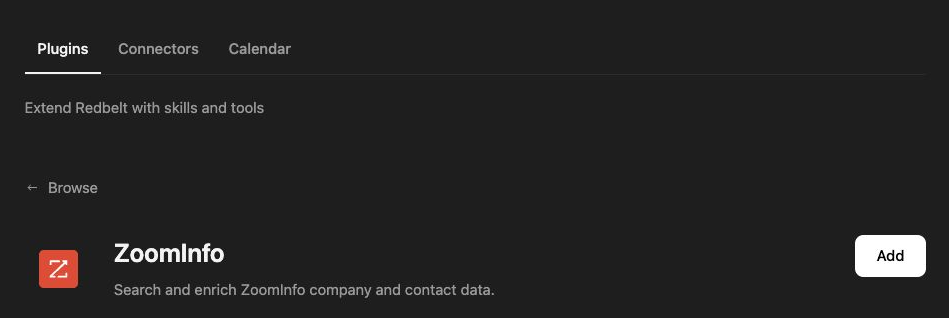
Plugin details under Customize → Plugins. The button shows the current installation state.
Research a bounded account list
Section titled “Research a bounded account list”- Ask Redbelt to inspect ZoomInfo entitlements and usage before a credit-consuming task.
- Discover supported values for a filter if its accepted vocabulary is unclear.
- Search companies using specific criteria, then inspect the returned company identifiers.
- Search contacts for the selected companies and review the candidates.
- Choose the exact records and output fields before requesting enrichment. Inspect matches and unmatched results separately.
Check our ZoomInfo access and usage. Propose filters for software companies in our target market, then show a small company result set. Do not enrich contacts until I choose the records and output fields.
Separate search, enrichment, and audiences
Section titled “Separate search, enrichment, and audiences”Search returns candidates. Enrichment requests selected fields for supplied matches and can consume account credits. The enrichment tools accept bounded batches of up to 10 matches. Request only the fields needed for the task and preserve the correlation between each input and output.
Audience listing discovers saved audiences; reading an audience inspects its definition; listing audience rows retrieves its members. Follow paging rather than treating one page as the full audience.
Usage and entitlements determine what your account can access. A missing field is not proof that the person or company lacks that attribute. The current tools research data; they do not send outreach. Only actions marked Yes below are available directly in workflows.
Tool Reference
Section titled “Tool Reference”Thread and workflow availability are listed separately. A tool must also be enabled for your task and allowed by its account and administrator policy. Configure workflow app actions using only actions offered by the current picker.
Available Tools
Section titled “Available Tools”| Tool | Required Fields | Thread | Workflow |
|---|---|---|---|
zoominfo.enrich_companies |
matches, output_fields |
Yes | No |
zoominfo.enrich_contacts |
matches, output_fields |
Yes | Yes |
zoominfo.get_audience |
audience_id |
Yes | No |
zoominfo.get_entitlements |
No mandatory top-level fields | Yes | No |
zoominfo.get_usage |
No mandatory top-level fields | Yes | No |
zoominfo.list_audience_rows |
audience_id |
Yes | No |
zoominfo.list_audiences |
No mandatory top-level fields | Yes | No |
zoominfo.lookup |
field_name |
Yes | No |
zoominfo.search_companies |
filters |
Yes | No |
zoominfo.search_contacts |
filters |
Yes | Yes |
Required fields above are the schema minimum. The target, selected operation, or account can impose additional requirements.
zoominfo.enrich_companies — Enrich up to 10 companies from stable identifiers and select the returned fields.
zoominfo.enrich_contacts — Enrich up to 10 contacts.
Optional fields: required_fields.
zoominfo.get_audience — Get one GTM Studio audience and its column definitions.
zoominfo.get_entitlements — List product entitlements available to the connected ZoomInfo account.
Optional fields: admin, role_type.
zoominfo.get_usage — Get API usage and credit counters for the connected ZoomInfo account.
zoominfo.list_audience_rows — Page through rows in a GTM Studio audience with optional typed filters and selected columns.
Optional fields: columns, filter_operator, filters, page_number, page_size, sort.
zoominfo.list_audiences — List GTM Studio audiences without changing them.
Optional fields: name, page_number, page_size, sort.
zoominfo.lookup — Resolve canonical ZoomInfo values for industries, locations, roles, technologies, and other search filters.
Optional fields: fuzzy, vendor.
zoominfo.search_companies — Search companies with structured firmographic and technographic filters.
Optional fields: page_number, page_size, sort.
zoominfo.search_contacts — Search contacts with structured person, role, company, and location filters.
Optional fields: page_number, page_size, sort.
Troubleshoot
Section titled “Troubleshoot”If a field or filter is rejected, use the lookup and entitlement operations to confirm it is supported. For ambiguous enrichment, review the match instead of treating every response as an exact identity match.